Here is our second ever photoshop tutorial! This one is a bit more simple, but still tuns out a pretty decent end result. This tutorial wills how you how to create a movie poster similar to that of the original Hannibal movie poster. Its not an exact replica like my Planet Terror Poster Tutorial, but it is still pretty cool. I tried to make this one a little easier to follow, but I am still learning how to write tutorials, so let me know what you think!
Step 1
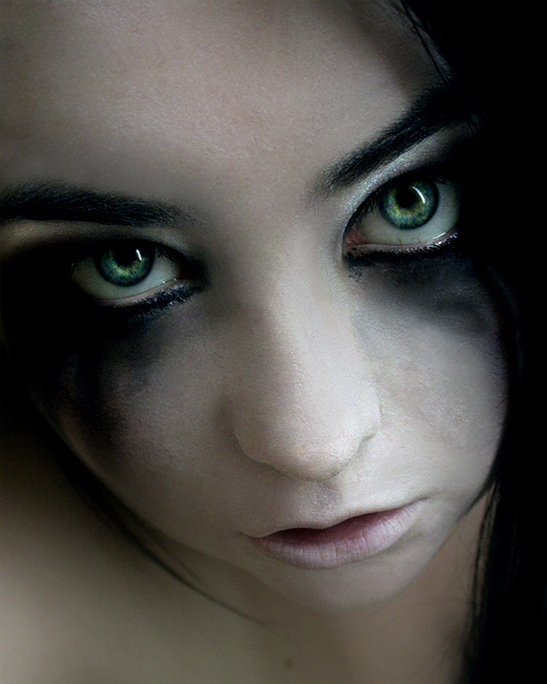
Find a nice looking head shot to use. Something close up will usually work best. I am using this stock picture be Deviant Artist Dagwanoenyent-Stock.
Stock-55 by =Dagwanoenyent-Stock
Step 2
Go ahead and open up a new file in Photoshop. The size and resolution is up to you. For the sake of this online tutorial, I will be using a 8×10 inch file at 72dpi resolution.
Step 3
Once you have found your image of choice, paste it in to your file in Photoshop and re-size it accordingly.
Step 4
Next we want to start playing around with darkening the image to help give it more of that horror movie poster look. I like to start with the levels and ad just the black to darken up the image a little.
I tend play with the RGB Curves just a little to even out the darkness and contrast of the image.
Step 5
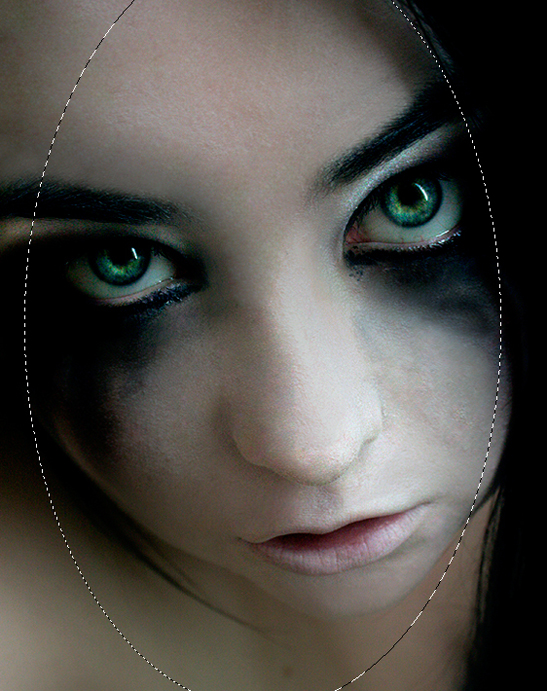
Create a new layer and use the eliptical marquee tool to draw an oval around the portion of the face you want to see on the poster.
Step 6
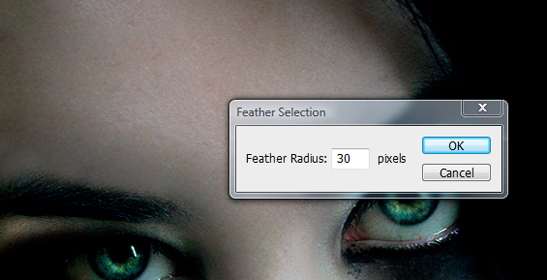
Right click inside of the marquee and select feather. Set the feather radius to 30 pixels.
Step 7
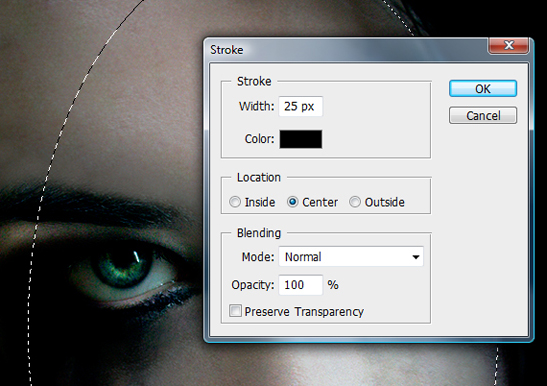
Right click inside the marquee again and select stroke. Set the width to around 25px and the fill color to black.
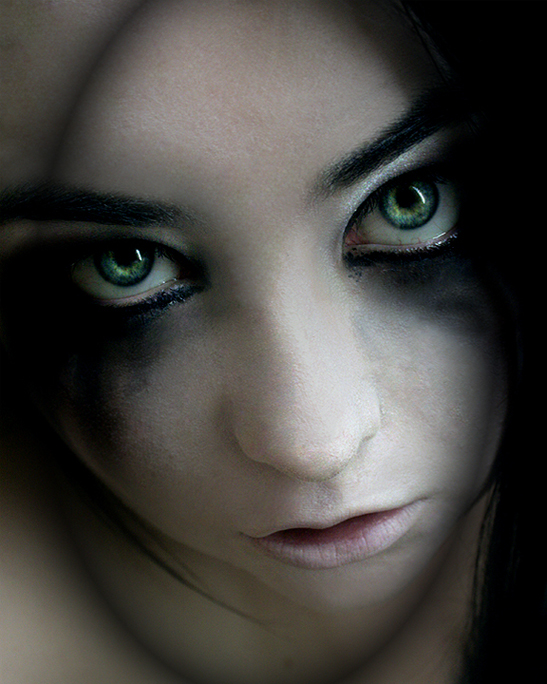
Step 8
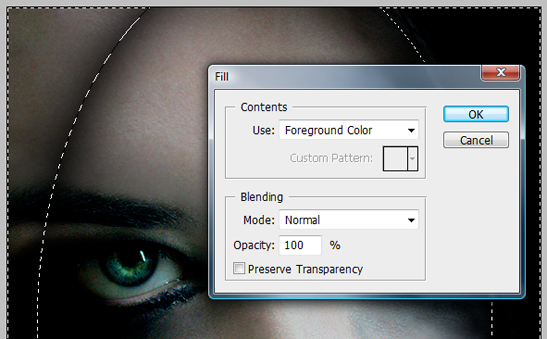
Right click inside the marquee again and click select inverse. Then right click again and select fill. Make sure your foreground color is set to black and click ok.
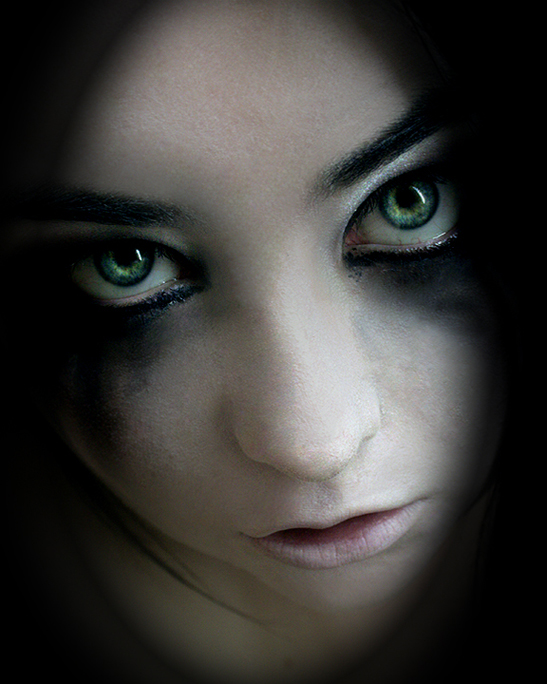
Repeat steps 5 - 8 to create a more dramatic effect and give your self room for text.
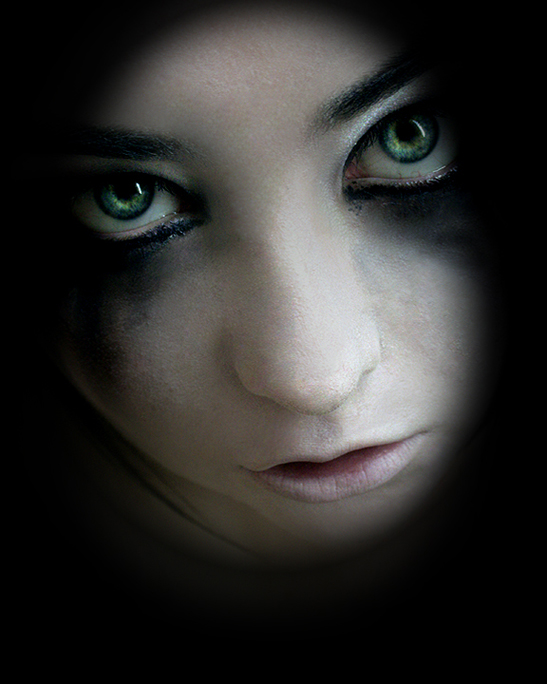
Step 9
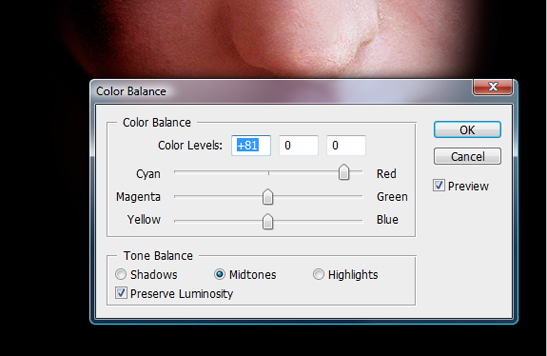
The Hannibal posters usually have a a deep red color to them. So now we are going to adjust our image again to give it more of a dark red feel.
The first thing we are going to do is adjust the red color balance. From the menu: Image>Adjustments>Color Balance.
Step 10
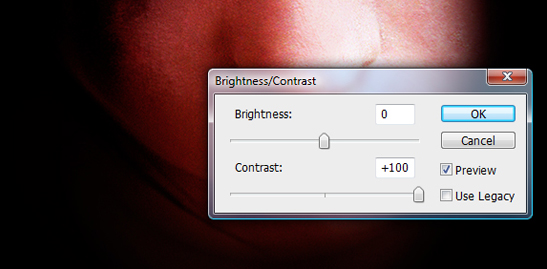
The red is starting to look good, but it still needs some contrast. Lets up the contrast to around 100%. From the menu: Image>Adjustments>Brightness/Contrast.
Step 11
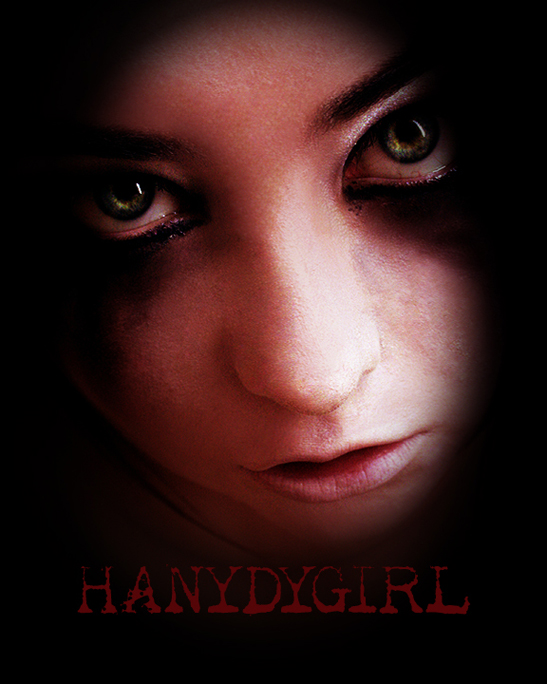
Come up with a name for you movie poster. Find an appropriate font for your poster and add it near the bottom of the poster. Use the eye dropper tool to select a red color from your existing image.
I have used: font - Apoplex, Size 72, color #540507.
Step 12
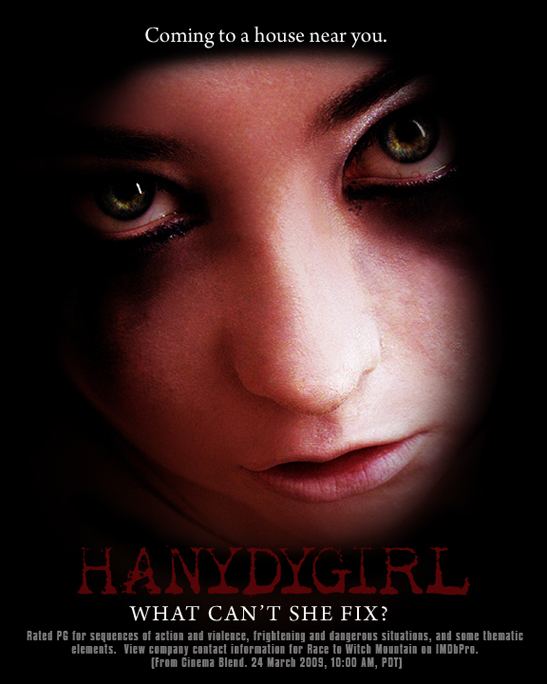
Add some finishing text to the top and bottom of the poster. If you need some extra black area under your text, use a large soft brush to paint in some extra black area.
Finished Product
Your finished product should look something similar to this. Your may look a little different depending on how you played with things such as curves, contrast, etc.


6 Comments
You should spell check that title. It says “Hanydygirl”
Cheers, I would like to see more tutorials like this one. Fantastic.
“What Can’t She Fix?” has me cracking up here. Good show!
Wow, amazing how you did this. Nice screenshots, hope you don’t mind if I try doing this myself
Greetings!
Great job with your tutorial! I just found you site and will explore more.
Blessed be
LOL, amusing poster, didn’t even pick up on the mis spelling until it was pointed out.
11 Trackbacks
[...] How to Create a Hannibal Style Movie Poster [...]
[...] How to Create a Hannibal Style Movie Poster [...]
[...] How To Create A Hannibal Style Movie Poster Source Outlaw Design Blog [...]
[...] Here is our second ever photoshop tutorial! This one is a bit more simple, but still tuns out a pretty decent end result. This tutorial wills how you how to create a movie poster similar to that of the original Hannibal movie poster. Its not an exact replica like my Planet Terror Poster Tutorial, but it is still pretty cool. I tried to make this one a little easier to follow, but I am still learning how to write tutorials, so let me know what you think! VIEW THIS TUTORIAL [...]
[...] How to Create a Hannibal Style Movie Poster [...]
[...] How to Create a Hannibal Style Movie Poster [...]
[...] How to Create a Hannibal Style Movie Poster [...]
[...] How to Create a Hannibal Style Movie Poster [...]
[...] How to Create a Hannibal Style Movie Poster [...]
[...] How to Create a Hannibal Style Movie Poster [...]
[...] Hannibal [...]